
Make Any Photo Black & White
Upload a color photo and instantly convert it into a clean black and white image.
Drag & drop your image here, or click to browse
Supported: JPG, PNG, WebP, HEIC

What is MakeBW?
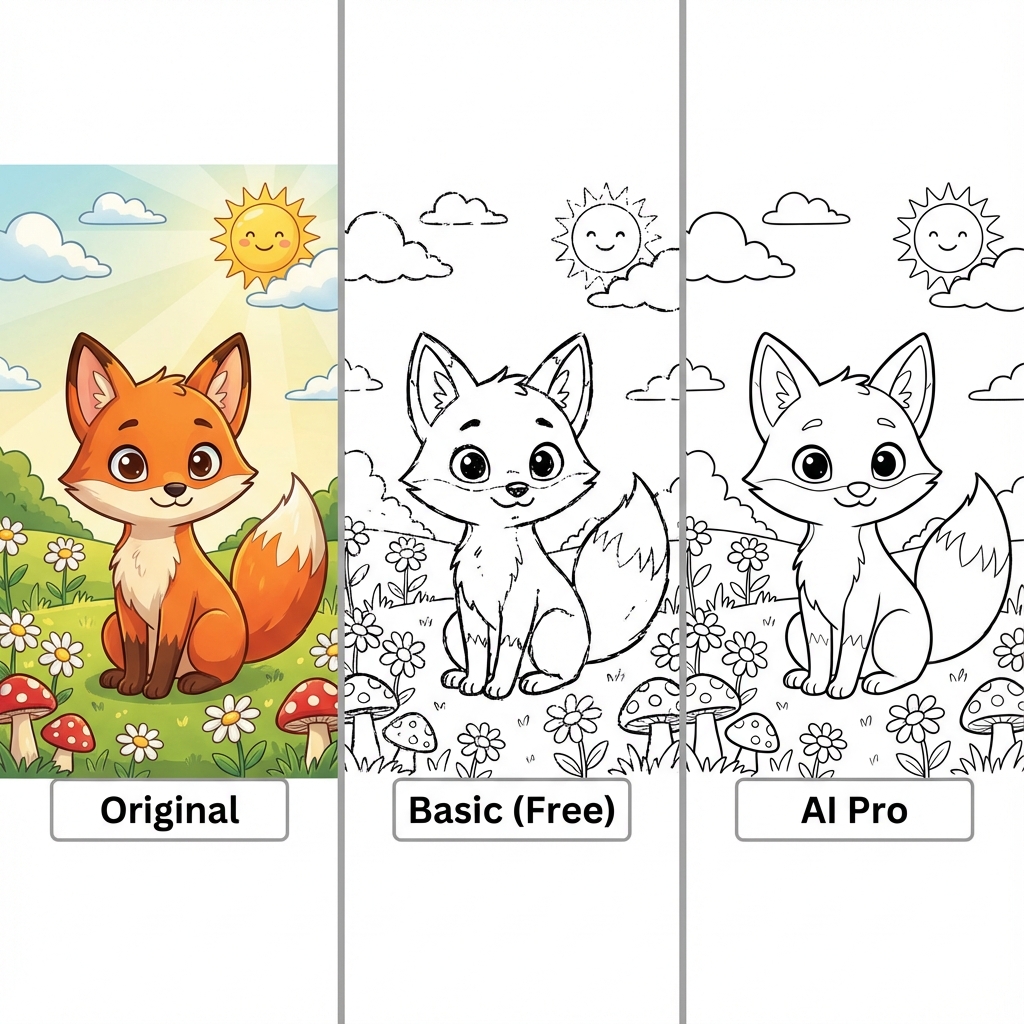
Looking for a free color to black and white converter? MakeBW is the best online black and white maker that processes images instantly in your browser. Whether you want to turn a photo into a coloring page or learn how to convert image to black and white for printing, our tool handles it all securely.
Grayscale Conversion
Convert color photos to classic black and white, save printing costs, create artistic effects.
Coloring Page Maker
Extract line art from any photo to create printable coloring pages for kids.
Color Inversion
Create negative effects for special designs and artistic creation.
How It Works?
Just 4 steps to complete image conversion. No registration, no installation required.
Upload Image
Drag and drop or click to select your image. Supports JPG, PNG, WebP, HEIC formats.
Choose Mode
Select conversion mode: grayscale, coloring page line art, or color inversion.
Adjust Settings
Adjust line thickness or other parameters as needed, preview in real-time.
Download
Choose PNG or JPG format and download for use or printing.
Why Choose MakeBW?
Unlike other online tools, MakeBW focuses on your privacy and experience.
100% Privacy Protected
All image processing happens locally in your browser, never uploaded to servers. Your privacy is completely protected.
Instant Conversion
No waiting for uploads or downloads, conversion happens in milliseconds. Real-time preview, see results immediately.
Completely Free
No registration, no payment, no limits. Professional tools, free forever.
Works Everywhere
Desktop, tablet, or mobile. Supports all modern browsers, process images anywhere.
Why Choose MakeBW?
Professional image processing with complete privacy and zero cost.
🔒 Complete Privacy
All processing happens in your browser. Your images never leave your device.
⚡ Instant Results
Real-time conversion with adjustable parameters. See results immediately.
🎨 Multiple Modes
Grayscale, line art for coloring, or color inversion. Perfect for any use case.
💰 100% Free
No subscriptions, no credits, no limits. Professional tools, free forever.
📱 Works Everywhere
Desktop, tablet, or mobile. Modern browsers supported.
🖨️ Print Optimized
Save ink with optimized grayscale. Perfect for home and office printing.
Who Uses MakeBW?
Users from all walks of life use MakeBW to solve their image processing needs.
Parents
Create custom coloring pages for kids
Convert family photos into coloring pages for kids to create unique artwork.
Make Coloring Page →Teachers
Create teaching materials
Generate educational coloring materials for classroom activities.
Get Started →Offices
Save printing costs
Convert color documents to black and white, save 40-60% on ink costs.
Convert Document →Photographers
Artistic creation
Convert color photos to classic black and white, emphasizing light and composition.
Convert Photo →Supported Image Formats
Support for all major image formats. Convert to black and white with one click. Click any format below for details.
Frequently Asked Questions
Learn more about converting images to black and white
How to convert image to black and white?
Is MakeBW free?
Can I turn a photo into a coloring page?
What formats are supported?
Start Converting Today
Free, fast, and completely private. No sign-up required.